
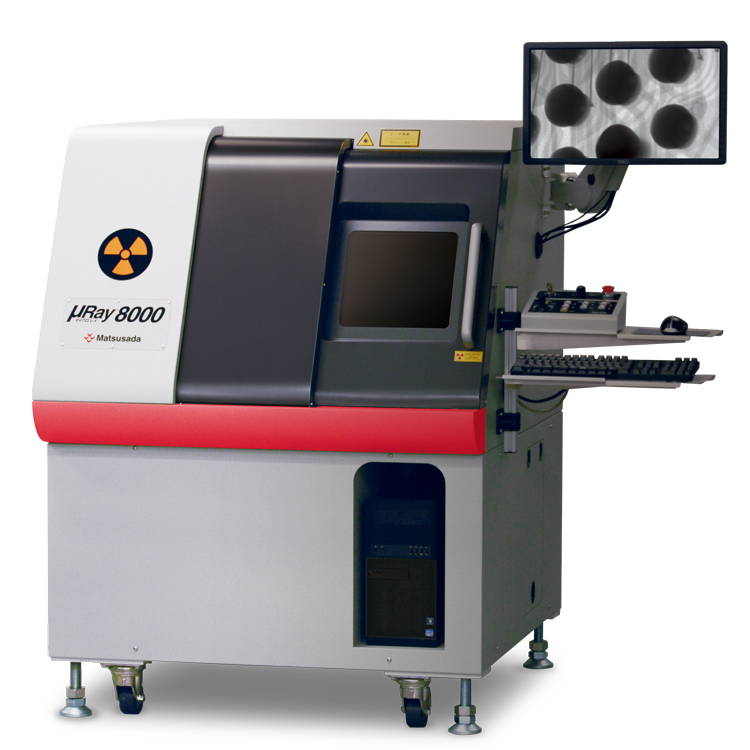
Microfocus X-ray Inspection System
Features a tiltable detector for inspecting large objects from any angle.
- Microfocus X-ray
- Max X-ray Voltage: 90 kV
- Tiltable X-ray camera
- CT Unit (option)
Large chamber design suitable for inspecting larger samples.
Features and Benefits
- Supporting for analysis work
- Multipurpose fluoroscopy by tilting camera
- User-friendly software
- High-function software as standard equipment that can perform various image processing
- Corresponding to CT Unit (option)
- Easy scanning of tomographic images and stereoscopic images
Model
| Model | X-ray generating unit | Imaging unit | Stage | ||||||||||||||||
|---|---|---|---|---|---|---|---|---|---|---|---|---|---|---|---|---|---|---|---|
| Tube voltage | Output power | Focal spot size | Vertical stroke | Vertical Field size | valid pixels | Density resolution | Monitor size | Vertical stroke | Tilting angle | Sample stage | |||||||||
| Size inches | Withstand load | X-Y stroke inches | Moving operation | ||||||||||||||||
| µRay8000 | 30 to 90 (kV) | 18 W MAX | 4 µm MIN | 4.72 inches (120 mm) |
4.49 x 2.52 inches (114 x 64 mm) |
3 million pixels | 14-bit | 27 inches | 9.25 inches (235 mm) |
60° | X 15.75 x Y 15.75 inches (400 x 400 mm) |
5kg | X: 15.75 inches (400 mm) Y: 15.75 inches (400 mm) |
Direction given by a mouse operation (Joystick can be used at the same time.) |
|||||
| Geometric magnification info | 3.1 to 38 times |
|---|---|
| Monitor magnification ratio | 15 to 180 times |
| Inspection visual field (mm) | 0.12 inches (3.0 mm) × 0.07 inches (1.7 mm) to 0.31 inches (8 mm) × 0.83 inches (21 mm) |
| Input voltage | AC 100 V 50/60 Hz |
| Power consumption | 1 kW (including computer) |
| Amount of X-ray leakage | less than 1 µSv/hr |
| Weight of the main unit | 800 kg |
Functions
Efficiency Comprehensive functions to support analysis
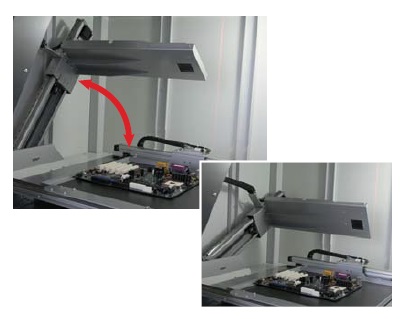
Multipurpose fluoroscopy by tilting camera
The tilting camera enables the detection of defects that are invisible in standard top-down views. It facilitates the inspection of large products from optimal angles.
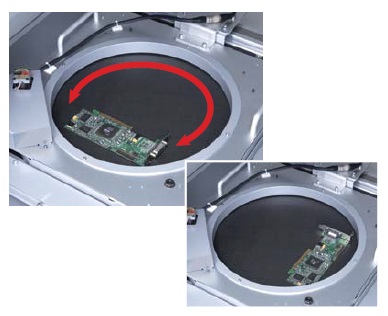
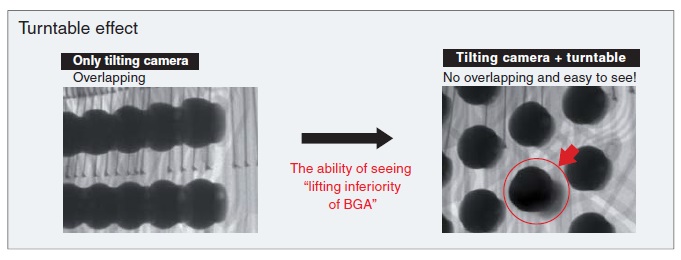
Turntable makes it easier to inspect these products. (-LR option)
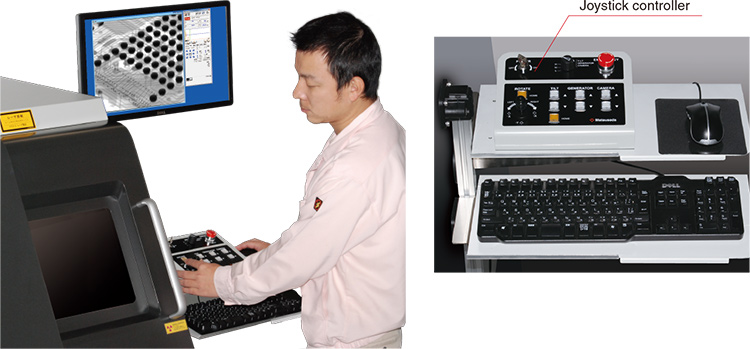
Responsive stage control via joystick
The joystick controller offers intuitive operation, allowing for precise positioning and smooth movement as if manipulating the sample by hand.
User-friendly Exceptional operability and usability
Ergonomic design for flexible operation
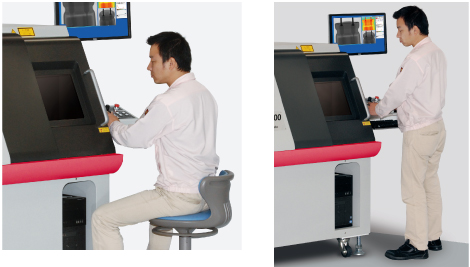
The system is designed to be operated comfortably whether standing or seated. Large windows provide clear visibility of the interior in either posture.
Easy loading and unloading of large samples
The spacious chamber, featuring a W 20.07" x H 21.26" door, facilitates the loading and unloading of large samples. This wide opening significantly improves work efficiency.
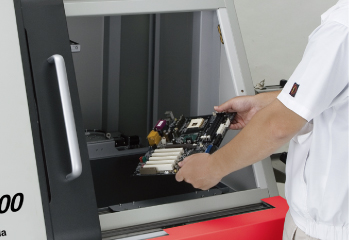
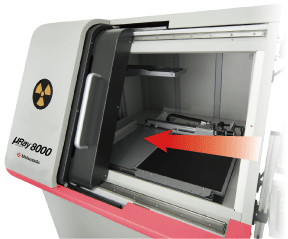
W: 20.07 x H: 21.26 inches (510 x 540 mm)
Intuitive operation with no expert required: µRayVision2
Dedicated µRayVision2 software simplifies stage control and X-ray beam adjustment while providing advanced image processing and measurement functions.
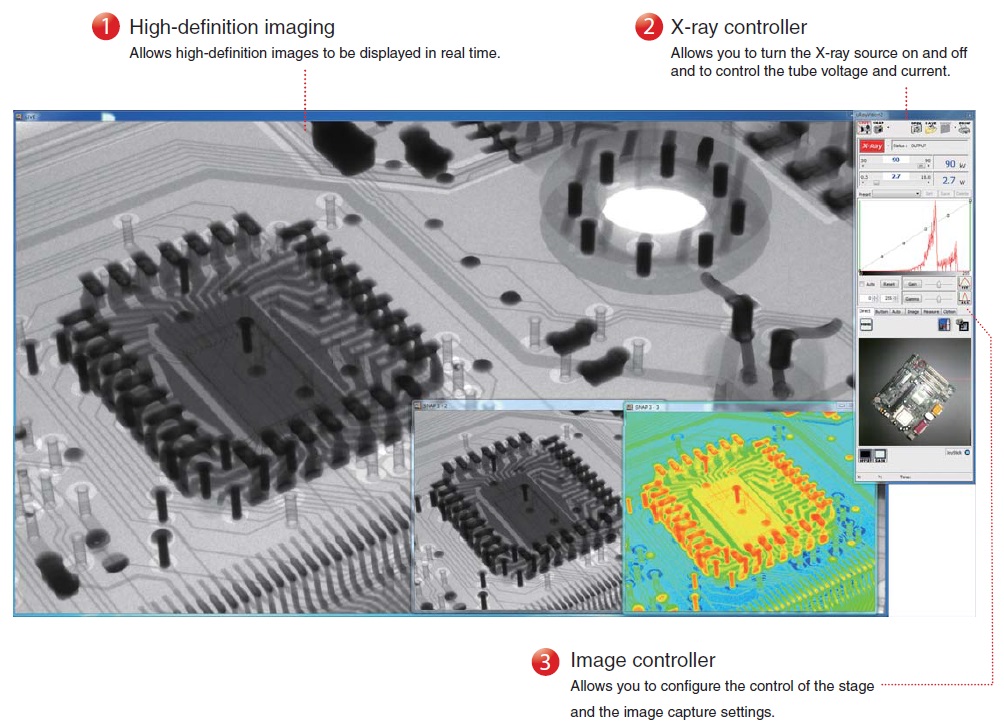
MDI System
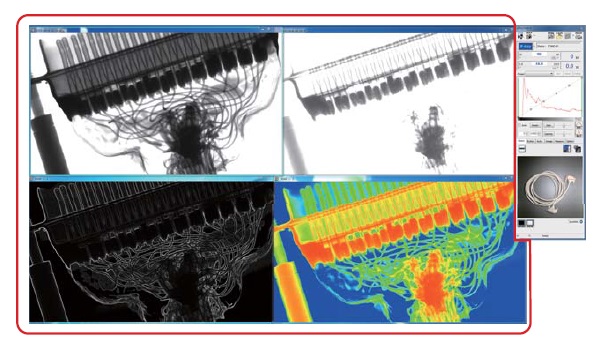
The MDI system allows you to arrange different versions of a single image to compare the before and after effects of applying a filter or adjusting the contrast. You can also perform more precise positioning and move the stage while viewing a live image. By using the fixed pivot function to rotate the stage around the observation point and by holding down the mouse button during live feed in the direction you want the stage to move, you can manipulate the stage as required.
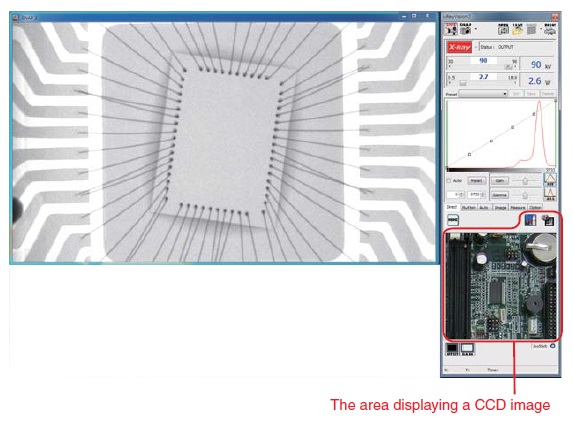
CCD Image Display
The stage can be repositioned simply by clicking the target point in the CCD image display area. High-precision positioning is supported by the enlarged CCD view.
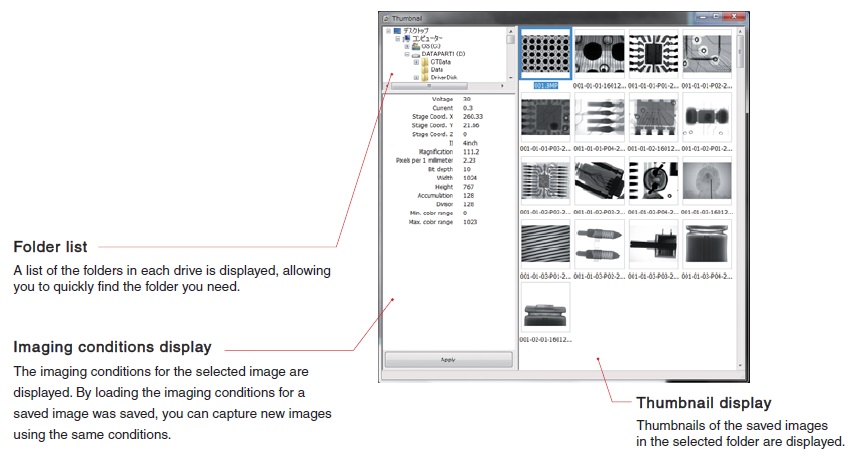
Thumbnails
Thumbnails of saved images are shown in each folder. These are helpful when selecting a saved image from the folder list to take measurements on it or to capture images from the same sample based on the imaging conditions used previously.
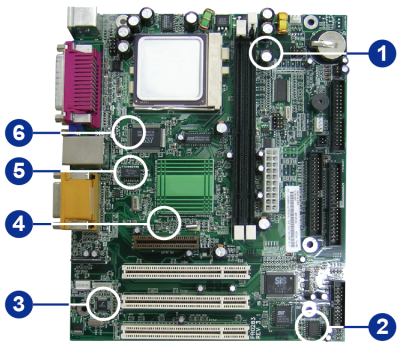
Easy and simple operation
The TEACHING function: Automated inspection of identical samples
This function improves efficiency by automatically moving the stage to pre-registered points. Once positional data is stored, the system can replicate the inspection routine for multiple samples of the same shape. Settings such as X-ray output, magnification, and dwell time can be configured individually for each point.
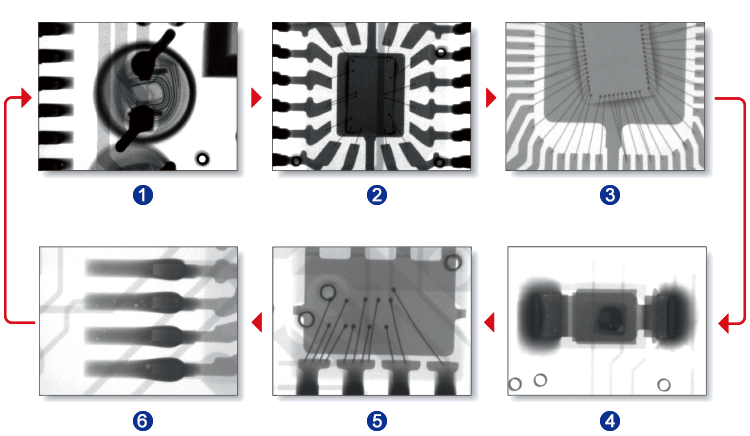
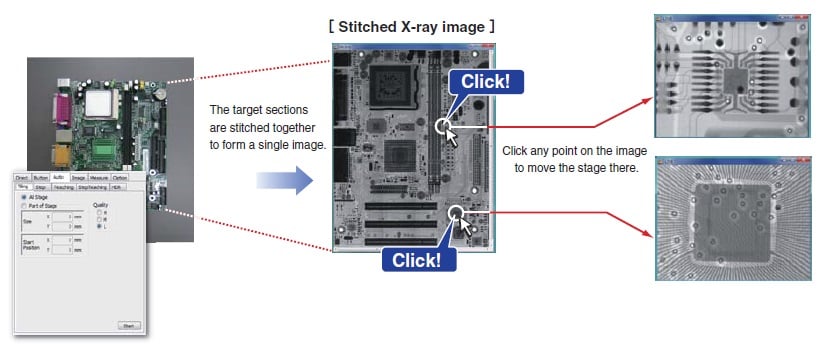
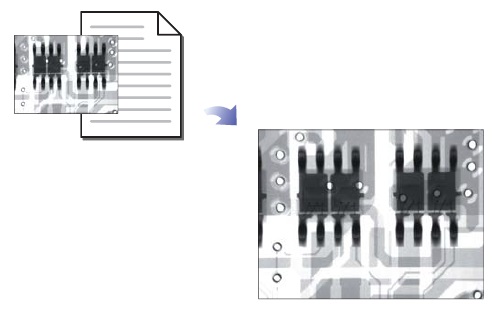
The STITCHING function makes it easy to observe a single sample at a micro or macro level.
This function allows you to capture multiple X-ray images of areas of up to 15.75 x 15.75 inches (400 x 400 mm) for samples that would be too large to capture in a single image. You can also capture an X-ray image of a particular section of a large sample. In addition, once the images to be stitched together have been captured and saved, you can use the CLICK-TO-CENTER function. To use this function, load the stitched image data and click the point you wish to view. The stage will automatically move to that point.
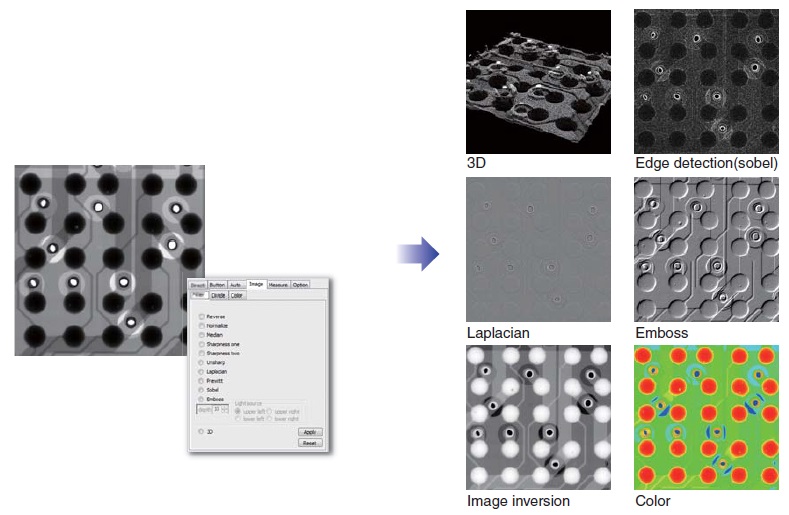
The IMAGE PROCESSING function: Enhanced visibility for defect analysis
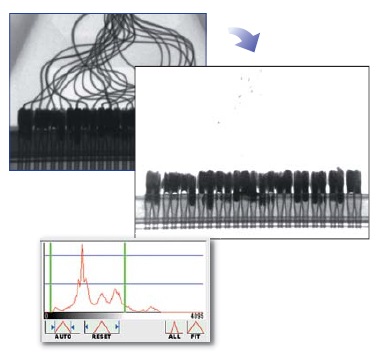
Display Range
Allows you to set an arbitrary gray level based on an image's histogram and then enhance the contrast manually.
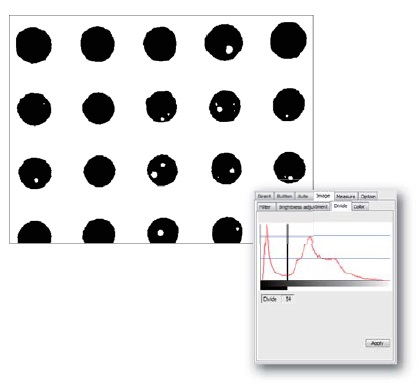
Threshold
Allows you to set all values above the threshold to white and all values below it to black.
Filters
µRay 8000 provides more than ten different types of filters and image processing functions that enable more detailed image analysis. Applying a filter to a moving image enables you to perform real-time image analysis.
Designed for safe, simple operation without specialized expertise.
The µnRay series is equipped with numerous safety features, allowing operators to use the system confidently immediately after installation.
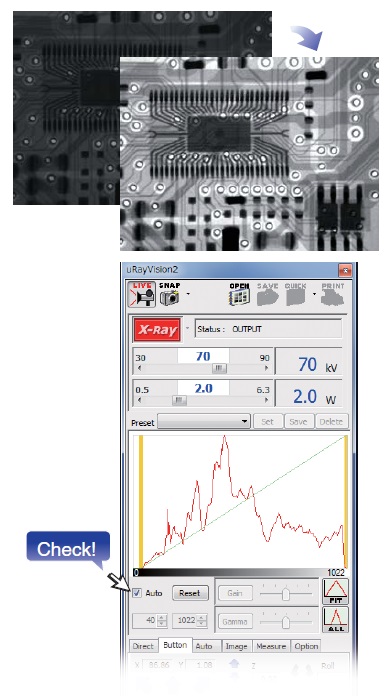
Easy Automatic Contrast Control (ACC)
The automatic contrast control (ACC) function selects the most suitable contrast setting for the image. No matter who is using the system, a high-definition X-ray image can be readily obtained.
Easy Reproduction of Shooting Condition
Leveraging previously used conditions to simplify the process
By loading the imaging conditions file for a previously captured image, you can capture new images under the exact same conditions. This eliminates the risk of mistakes being made, regardless of who is using the system.
Easy Automatic Conditioning Function
The system memorizes the time and date of use. The conditioning process is automatically selected based on how many hours have passed since that day to ensure optimum conditioning.
Note: Proper conditioning and operation can significantly extend the life of x-ray tubes.
(If the aging function is not performed properly, the service life of the X-ray tube could be shortened.)
Safe Interlock Function
The system stops emitting X-rays immediately if the door is opened.
Safe Auto-off Function
In case you forget to turn off the X-ray source, the system automatically stops X-ray irradiation after a set time has elapsed.
Safe Emergency Stop Button
This button is to be used only in an emergency. It stops X-ray irradiation and stage movement immediately.
Specifications
Options
- -LCTN, -LCTM, -LCTX
-
CT function
A fluoroscope can only capture projection images, but a CT Unit can capture 3D images. A CT Unit can also capture tomographic images of the specified surface of a 3D image.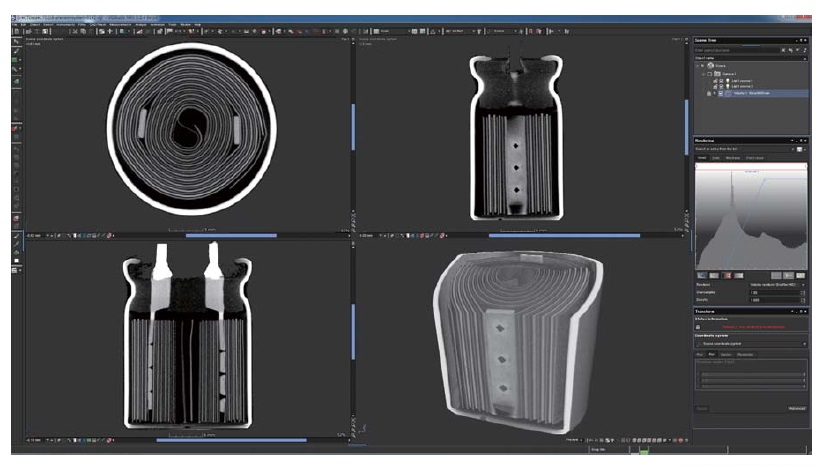
Electrolytic capacitor
- -LE
-
Language setting (English)
The language setting of the Instruction Manual attached to the product, OS, and software is set to English. US keyboard is used.
- -LF1
-
1.5 million pixel camera
- -LR
-
Rotating/Tilting stage
Rotation stroke: 360°, Size: [Φ] 320 mm Withstand load: 1 kg
- -LS64
-
Change stage size
Changing XY stage size to X: 15.75 inches (400 mm) × Y: 23.62 inches (600 mm)
- -L(***V)
-
Changing the input voltage
Input voltage is changed to 110 V, 115 V, 120 V, 200 V, 220 V, 230 V, 240 V, or Vac ±10% by entering it in ***.
How to Order
When ordering, add Option No. in the following order by alphabet, and number to Model No.
[Example] µRay8000-LCTNERS64(200V)
Additional Products
- STG023
-
Four-jaw chucking (-LCT option)
As the device has the shape of chuck jaws on the edge, it is useful to observe samples that are difficult to fix on the stage.
The device length varies according to the work size, so contact us for details.
- STG002
-
Height adjustment stage [Size: 4.72-inch (120 mm) x 4.72-inch (120 mm)]
The stage helps you to raise its height. Therefore, the sample can be closer to the X-ray camera for shooting so that you can take larger field images. - STG056
-
Height adjustment stage [Size: 4.72-inch (120 mm) x 5.51-inch (140 mm)]
The stage helps you to raise its height. Therefore, the sample can be closer to the X-ray camera for shooting so that you can take larger field images.
Applications
Fields and Applications of X-ray Radiography Non-Destructive Testing
- Pharmaceuticals and Cosmetics
- Tablets, Capsules, Catheters, Medical pouches, Foreign objects in the face mask, Cosmetics
- Automobiles and Electric Vehicles
- Automotive components, Wire harness, Batteries, Molded plastic parts, Motor, Insert molded parts, Aluminum die casting, Sensor, Mating parts connection
- Electronics
- Ball grid array (BGA), Integrated circuit (IC) chip, Connectors, Capacitors, LED, Relays, Printed circuit board (PCB), AC adapter, Light bulbs filament, Electrical cable disconnects, Discharge traces of dielectric breakdown
- Advanced Materials
- Carbon-Fiber-Reinforced Polymers (CFRP), Insulation material, Carbon, Dissimilar material joint, Contamination in beryllium
- Precision Conponents
- Probe, Bearing, Mating of plastic parts, Spring position
- Creatures and Plants
- Laboratory rats, Seeds, Flowers, Shell, Bone, Insects, Rice
- Others
- Microscopic foreign matter contamination, Voids in welding, Plastic bottle, Sealing of cans
Dimensions
Download
If you are unable to download a file
Please try the following solution.
- Please press Ctrl+F5 to clear the cache of your web browser and try again.
- Please restart your web browser and log in again to try again.
- Please change your web browser to another browser and try again.
- Restart the computer and try again.
- Please try again on a different computer.

-
μRay8000 Datasheet
Date: 2025-01-23 Rev.07
PDF (6,192 KB)
-
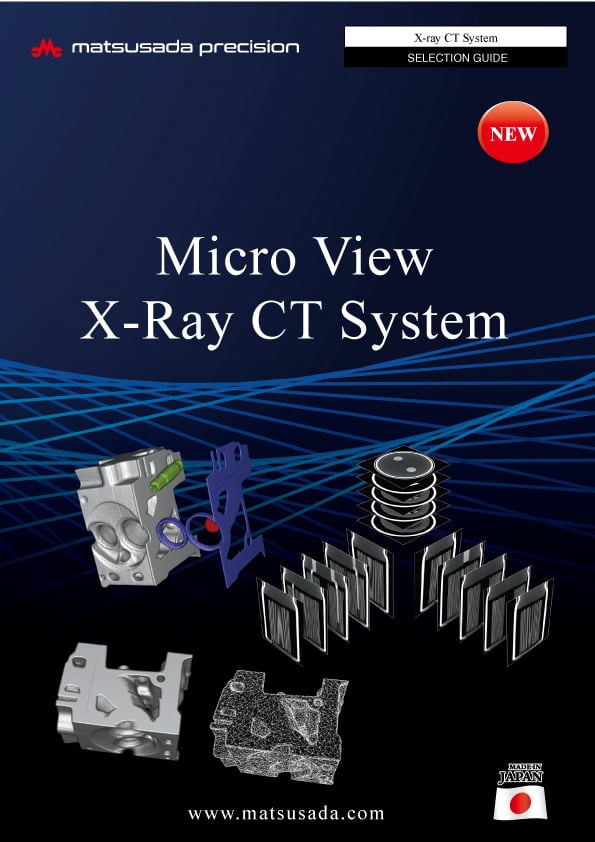
Micro View X-Ray CT System Guide
Date: 2025-09-12 Rev 08
PDF (4,989 KB)
Login Required
-
μRay8000 Datasheet
Date: 2025-01-23 Rev.07
PDF (6,192 KB)
-
Micro View X-Ray CT System Guide
Date: 2025-09-12 Rev 08
PDF (4,989 KB)
On this website, we provide only the latest versions of information and instruction manuals for our products. Therefore, the newest versions of manuals on the website may differ from those that came with products you purchased in the past.