


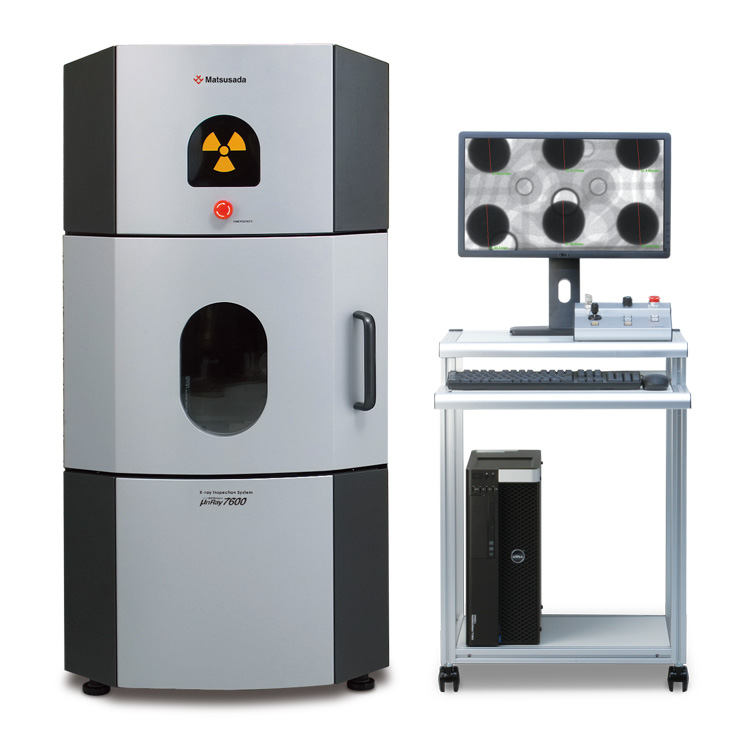
Microfocus X-ray Inspection System
- Max X-ray Voltage: 90 kV
- Max X-ray Power: 18 W
- High-contrast imaging
- CT Unit (Optional)
High-resolution X-ray inspection system with microfocus X-ray tube
The μnRay7600F features a 90 kV microfocus X-ray tube and a 14-bit flat panel detector, delivering high-performance imaging in a compact 1400 mm tall cabinet. This system achieves high magnification and produces large, low-noise, high-contrast images, enabling the observation of fine details often indistinguishable with conventional systems.
Additionally, the "versatile and user-friendly" μRayVision control software ensures high operability for both product development analysis and production line quality control. The μnRay7600F is engineered to meet a wide range of inspection requirements.
Features
- 14-bit flat panel detector for high-resolution imaging
- High magnification capability with 90 kV microfocus X-ray tube
- Compact design optimized for production line integration
High-Quality Observation with Microfocus X-ray Tube
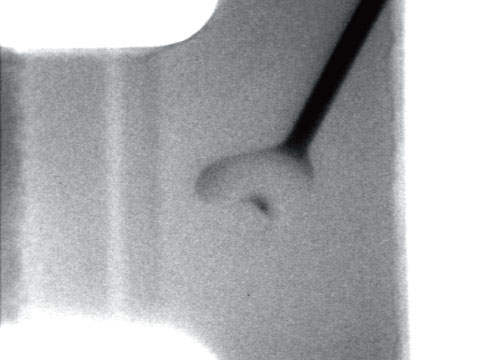
Equipped with a sealed microfocus X-ray tube, the μnRay7600F provides high-quality X-ray images with high magnification during magnified observation. Also, the microfocus X-ray tube enables shortening of the Focus Object Distance (F.O.D.) between the X-ray generating part and the object to achieve a high magnification. The structure, combined with its compact system with a height of 1400 mm, makes high magnification observations dramatically easier. The μnRay7600F provides better observation on any area than any other conventional system.
Model
| Model | X-ray Voltage | Sample platform size | Maximum monitor magnification |
|---|---|---|---|
| μnRay7600F | 30 kV to 90 kV | 260 mm x 350 mm | 125 times |
Functions
Fast and Efficient Support for Accurate X-ray Inspection
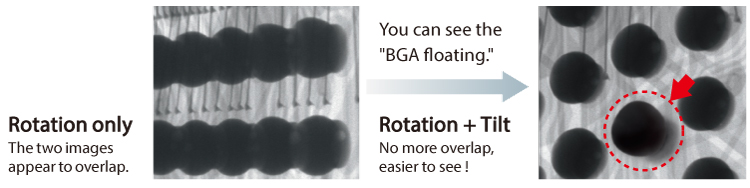
Oblique viewing with rotatable and tiltable stages (-LR option)
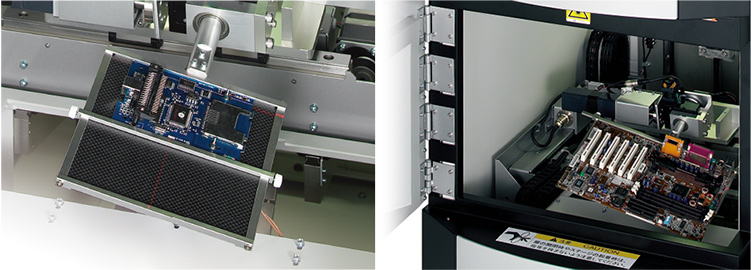
The rotating and tilting stage allows for oblique viewing, enabling the detection of defects often missed by top-down inspection. Unlike conventional stages limited to lightweight samples, this robust stage supports large objects up to 500 g.
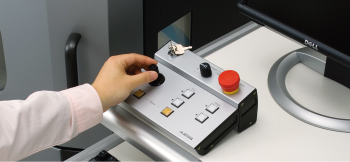
Intuitive positioning control
The joystick controller allows operators to manipulate the object position quickly and intuitively. The sample can be instantly moved to the desired viewing angle and position without complex operations.
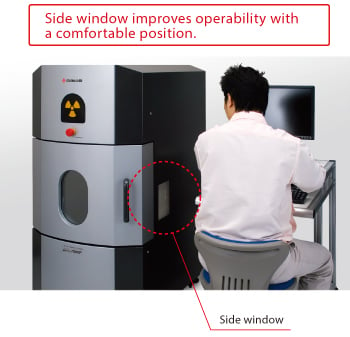
User-Friendly Design
Ergonomic observation
The system features a side window in addition to the front window. This design allows operators to view the internal stage position comfortably while seated, improving workflow efficiency.
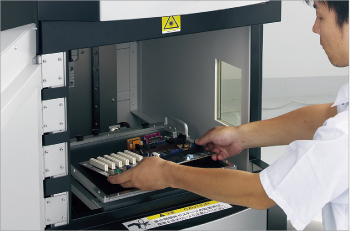
Designed for large objects
The large door opening of 540 mm (W) × 400 mm (H) facilitates the loading and unloading of large samples. The spacious chamber improves overall operability.
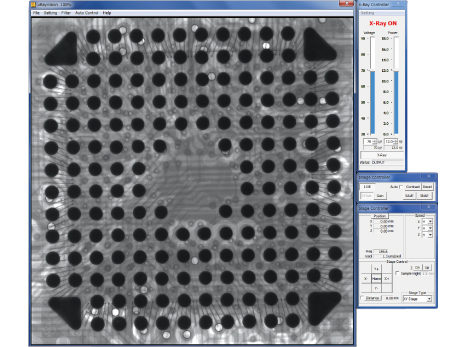
X-ray imaging software "μRayVision"
Simple operability for anyone, anytime
Our X-ray imaging software "μRayVision" not only allows easy control of stages and X-rays, but also provides a variety of image processing and measurement functions.
Features
- Stage positioning and image saving are super easy.
- High-quality observation with extremely-low noise
- Useful for repetitive inspections or difficult judgments
- The latest image processing
- Easy operation to judgment variation
Specifications
Options
- -LV2
-
µRayVision2
μRayVision2 is an X-ray system control and image acquisition software developed to make X-ray inspection with μnRay7600F more convenient and effective. Multiple captured images can be displayed simultaneously on the monitor, making it easy to compare good and captured images side by side, or to compare and evaluate images captured under different conditions.
In addition, the digital camera for object appearance check captures images of the entire object on the stage and displays the images. You can pinpoint the area to observe, enabling effective X-ray transmission.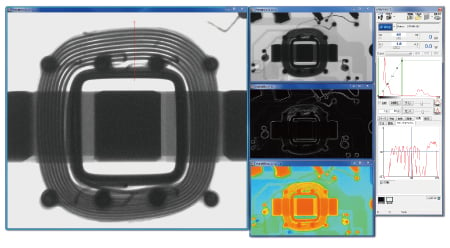
- -LCTN, -LCTM, -LCTX
-
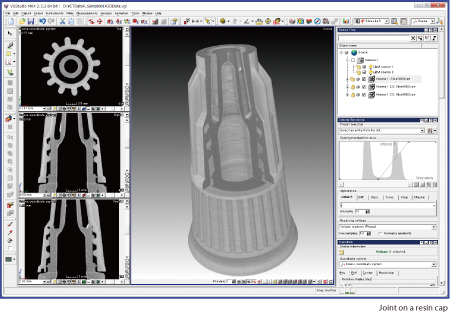
CT Scan Unit 2D/3D Analysis Software A viewing unit can only provide a projection image, but a CT scan unit can provide a three-dimensional image. Specify any surface in the 3D image, and you can obtain a tomographic image of the surface.
The display software enables you to obtain clear 3D images within 15 minutes. The 3D position displays make it easy to perform high-accuracy analysis. The software provides all of the functions needed for CT and image analysis.
CT stage
This is used for CT imaging. You can take a series of penetrated transmitted images by rotating the fixed samples on the stages.
*The type of stage attached varies depending on the options.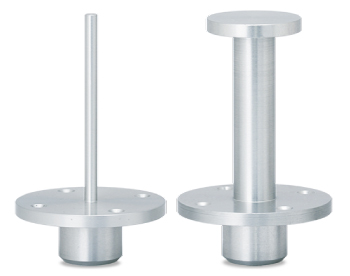
- -LE
-
Language setting (English)
The language setting of the attached Instruction Manual, OS, and software is set to English. US keyboard will be selected.
- -LR
-
Rotating/Tilting stage
Use the optional stage to rotate and tilt the samples flexibly. It is easier to find defective parts.
- -L(***V)
Input voltage
-
Input voltage is changed to 110 V, 115 V, 120 V, 200 V, 220 V, 230 V, 240 V, or Vac ±10% by entering it in ***.
How to Order
When ordering, add Option No. in the following order by alphabet, and number to Model No.
Example: μnRay7600F-How to order LCTNE(200V)
Accessories
- STG023
-
Four-jaw chucking
As the device has the shape of chuck jaws on the edge, it is useful to observe samples that are difficult to fix on the stage. The device length varies according to the size of the work, so for details, contact us.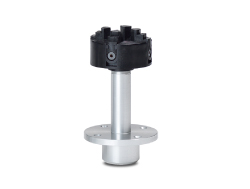
- STG003
-
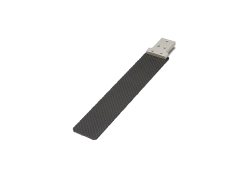
Carbon stage Ideal for rotating and tilting small samples for magnified observation. Please contact us to select your desired size for use.
- XDSK500
-
Specially designed aluminum desk
Applications
Fields and Applications for Non-Destructive X-ray Inspection
- Medical and Hygiene Products
- Tablets, Capsules, Catheters, Medical pouches, Contamination in non-woven fabrics (masks), Cosmetics
- Automobiles and Electric Vehicles
- Automotive components, Wire harness, Batteries, Molded plastic parts, Motor, Insert molded parts, Aluminum die casting, Sensor, Mating parts connection
- Electronics
- Ball grid array (BGA), Integrated circuit (IC) chip, Connectors, Capacitors, LED, Relays, Printed circuit board (PCB), AC adapter, Light bulbs filament, Electrical cable disconnects, Discharge traces of dielectric breakdown
- Advanced Materials
- Carbon-Fiber-Reinforced Polymers (CFRP), Insulation material, Carbon, Dissimilar material joint, Contamination in beryllium
- Precision Conponents
- Probe, Bearing, Mating of plastic parts, Spring position
- Biological Specimens
- Laboratory samples, Seeds, Flowers, Shells, Bones, Insects, Agricultural products (Rice)
- Others
- Microscopic foreign matter contamination, Voids in welding, Plastic bottle, Sealing of cans
X-Ray Inspection System FAQ
Download
If you are unable to download a file
Please try the following solution.
- Please press Ctrl+F5 to clear the cache of your web browser and try again.
- Please restart your web browser and log in again to try again.
- Please change your web browser to another browser and try again.
- Restart the computer and try again.
- Please try again on a different computer.

-
μnRay7600F
Date: 2024-11-19 rev.03
PDF (7,737 KB)
Login Required
-
μnRay7600F
Date: 2024-11-19 rev.03
PDF (7,737 KB)
On this website, we provide only the latest versions of information and instruction manuals for our products. Therefore, the newest versions of manuals on the website may differ from those that came with products you purchased in the past.