


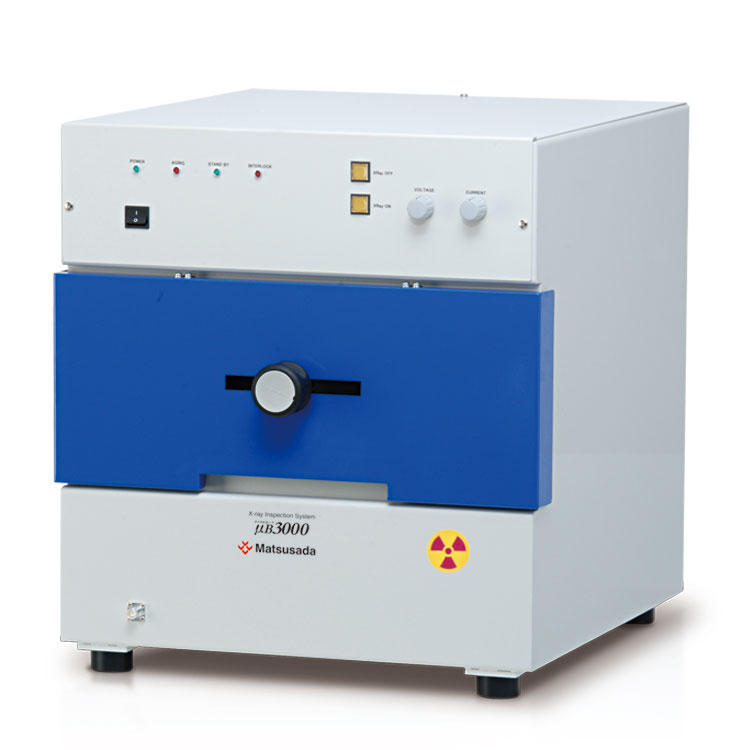
User-friendly X-ray inspection system designed for on-site efficiency
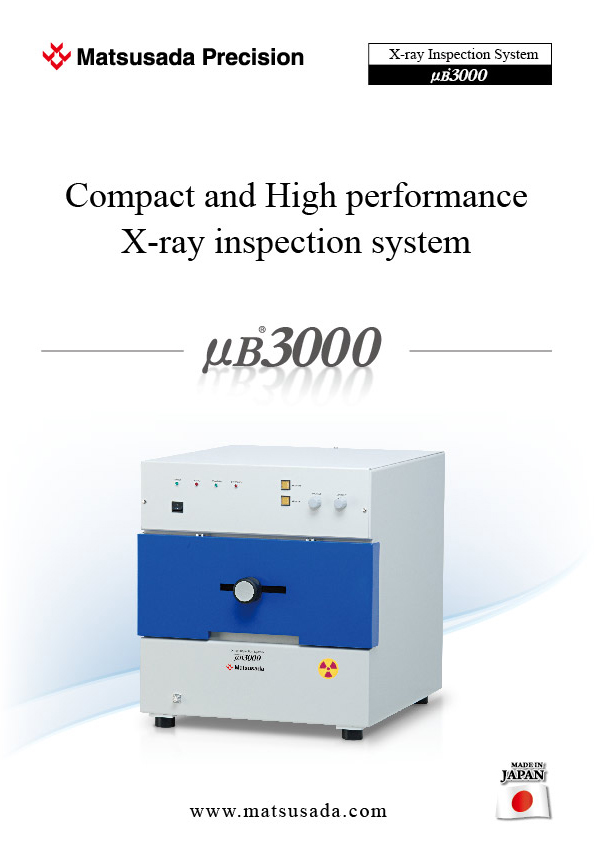
The µB3000 allows operators to quickly position samples using a manual multi-axis lever, making it ideal for spot inspections. It effectively detects short circuits and defects in BGA connections. By optimizing both function and design, we have achieved a cost-effective system that delivers clear images, high operability, and enhanced safety.
Features and Benefits
- Compact benchtop design
- With compact dimensions of 18.9" (480 mm) W × 20.3" (515 mm) D × 20.7" (525 mm) H, the system fits easily into limited spaces, making it ideal for immediate on-site inspections.
- Equipped with a 2-inch X-ray camera
- The high-resolution compact X-ray camera captures clear visible images even from low-intensity X-ray transmission.
- Enhanced safety features
- The system is equipped with an interlock function that immediately stops X-ray radiation if the stage door is opened, ensuring safe operation.
Model
| Model | X-ray Source | Imaging Section | Stage | ||||||||
|---|---|---|---|---|---|---|---|---|---|---|---|
| Tube voltage | Tube current | Focal spot size | Size of visual field | Number of valid pixel | Output signal from camera*1 | Inspection viewing field | Max.size of sample | X-axis travel | Y-axis travel | Rotation angle *2 | |
| µB3000 | 20 to 60 kV | 0.05 to 1 mA | 50 µm | 2 inches | 640 x 480 pixels | EIA/NTSC method | 1.42 x 1.06 inches (36 x 27 mm) | X 10.24 x Y 7.87 inches (X 260 x Y 200 mm) |
4.72 inches (manual) | 7.87 inches (manual) | 360° (manual) |
Functions
Superior Usability
Rapid alignment
Sample positioning is quick and precise.
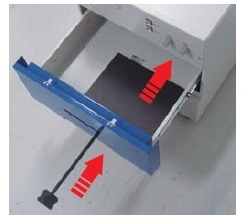
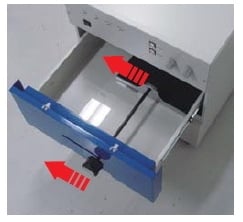
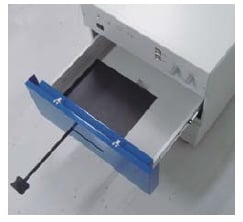
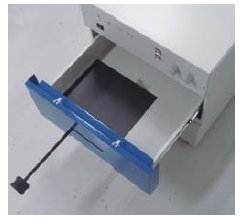
Using the manual multi-axis lever, the stage moves up to 4.72" (120 mm) in the X-axis and 7.87" (200 mm) in the Y-axis, allowing operators to easily observe the specific area of interest.
Easy setting work on the stage
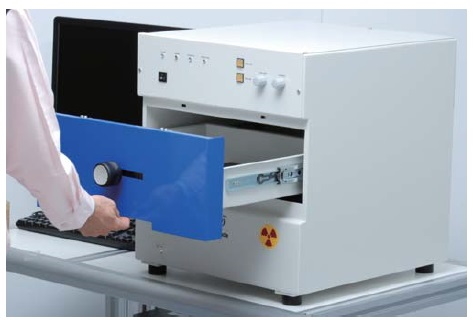
Since it is a door of a drawer system and a large stage, the set of a work is also simple.
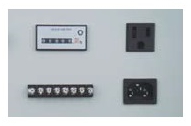
Since a service outlet is equipped on the rear panel standardly, it is convenient when using a beacon light, etc. together.
Easy maintenance
Accessible to X-ray tube simply by removing two screws.
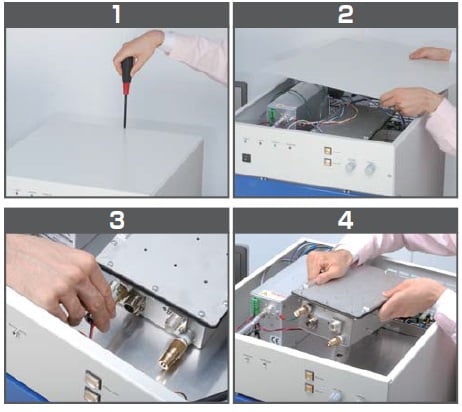
Exchange and various maintenances of an X-ray tube can be easily performed only by removing a top plate.
Software
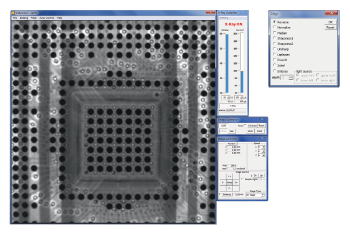
Dedicated software for capturing images, µRay Vision
Image processing software with the measurement function
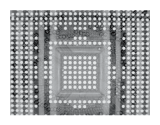
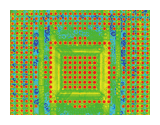
µRay Vision, the application software of our X-ray inspection systems offers easy operation with the X-ray control. Furthermore, in addition to the average integration of images, the software features the COLORING function where the color is added to certain areas with arbitrary brightness levels.
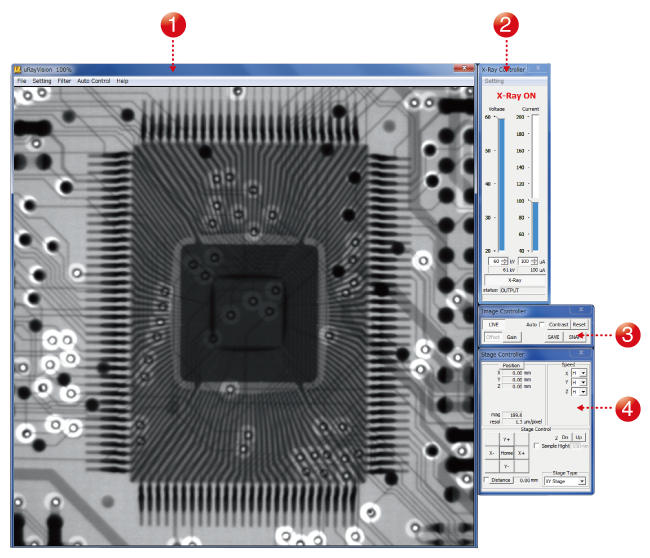
- (1) High-definition imaging
- Allows high-definition images to be displayed in real-time.
- (2) X-ray controller
- Allows you to turn the X-ray source on and off and to control the tube voltage and current.
- (3) Image controller
- Allows you to configure the image capture settings, including the moving-image filter and display range settings.
- (4) Stage controller
- Allows you to operate the stage using a mouse.
Automatic contrast adjustment
Low-visibility images are automatically optimized for contrast, revealing details that were previously difficult to see.
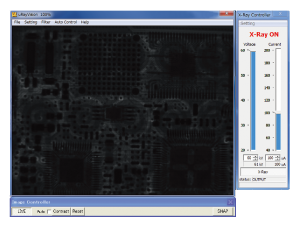
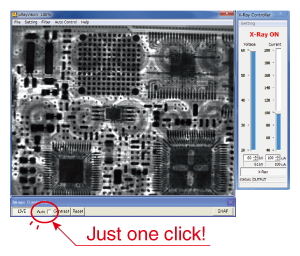
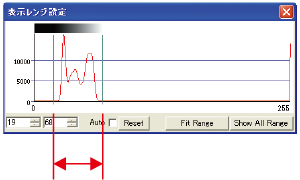
Besides, the histogram display and the manual operation of contrast adjustment are available in this window.
Filters function
The µB3000 supports 10 or more types of filtering and image processing allowing detailed image analyses. Images can be analyzed in real-time by performing appropriate filtering for displaying moving images.
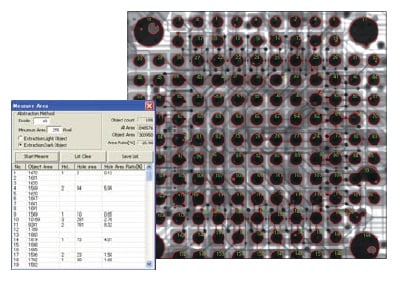
Measuring areas
The µB3000 can measure the areas, number of holes, area of holes, and area ratio of an object in a shot image.
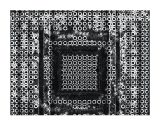
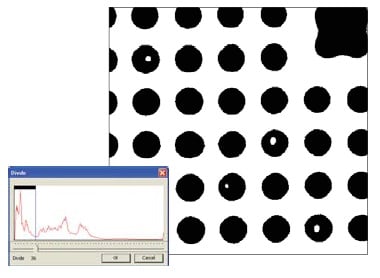
Binarizing processing
A shot image can be displayed in a binary manner by contrast by setting a threshold and binarizing the image.
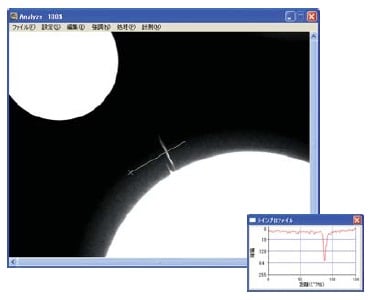
Measuring line profile
This function measures the line profile between two points on the monitor screen and displays a graph.
Specifications
Accessories
- STG002: Height Adjustment Stage (Size: 120 mm×120 mm)
- STG056: Height Adjustment Stage (Size: 120 mm×140 mm)
- The stage helps you to raise its height. Therefore, the sample can be closer to the X-ray camera for shooting so you can take larger field images.
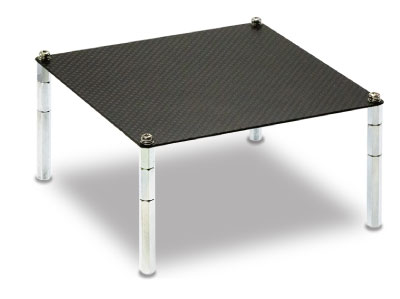
- XDSK200: Aluminum table for option
Application
Fields and Applications of X-ray Radiography Non-Destructive Testing
- Pharmaceuticals and Hygiene:
- Tablets, Capsules, Catheters, Medical pouches, Contaminants in masks, Cosmetics
- Automobiles and Electric Vehicles
- Automotive components, Wire harness, Batteries, Molded plastic parts, Motor, Insert molded parts, Aluminum die casting, Sensor, Mating parts connection
- Electronics
- Ball grid array (BGA), Integrated circuit (IC) chip, Connectors, Capacitors, LED, Relays, Printed circuit board (PCB), AC adapter, Light bulbs filament, Electrical cable disconnects, Discharge traces of dielectric breakdown
- Advanced Materials
- Carbon-Fiber-Reinforced Polymers (CFRP), Insulation material, Carbon, Dissimilar material joint, Contamination in beryllium
- Precision Conponents
- Probe, Bearing, Mating of plastic parts, Spring position
- Biological Samples:
- Laboratory animals, seeds, flowers, shells, bones, insects, rice
- Others
- Microscopic foreign matter contamination, Voids in welding, Plastic bottle, Sealing of cans
Download
If you are unable to download a file
Please try the following solution.
- Please press Ctrl+F5 to clear the cache of your web browser and try again.
- Please restart your web browser and log in again to try again.
- Please change your web browser to another browser and try again.
- Restart the computer and try again.
- Please try again on a different computer.
-
μB3000 Datasheet
Date: 2022-8-17 rev.04
PDF (2,710 KB)
Login Required
-
μB3000 Datasheet
Date: 2022-8-17 rev.04
PDF (2,710 KB)
On this website, we provide only the latest versions of information and instruction manuals for our products. Therefore, the newest versions of manuals on the website may differ from those that came with products you purchased in the past.