
Ultra-compact Digital Function Generator
- Frequency range:
0.01 Hz to 1 MHz - Maximum amplitude:
20 Vp-p (@1 kΩ = RL)
7.5 Vp-p (@50 Ω = RL) - 1.38-inch (35 mm) wide
- High-end signal output
High-performance dual-channel output in a space-saving design
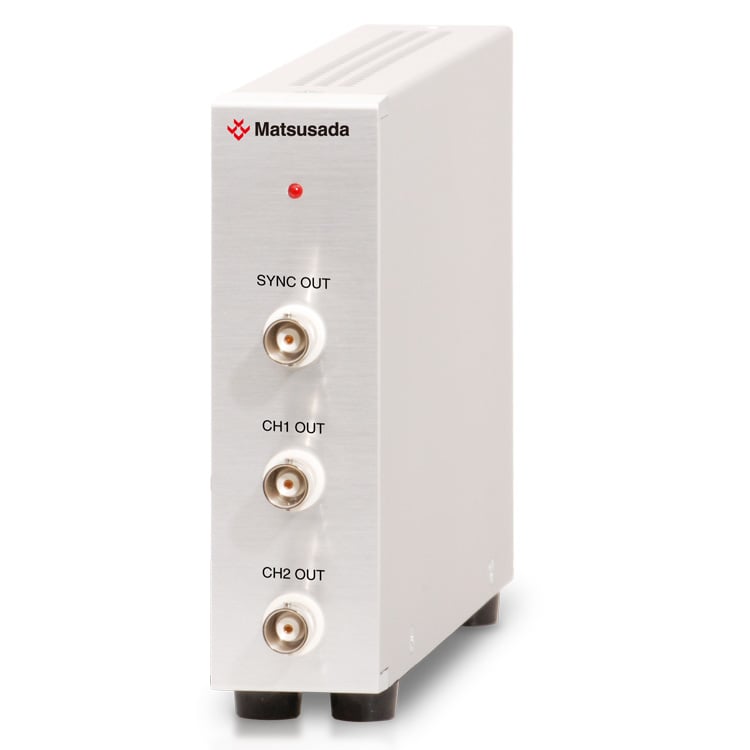
The eK-FG2 is an ultra-compact digital function generator designed for system integration and automated testing. With a width of just 35 mm (1.38 inches), it delivers the same dual-channel performance as the eK-FGJ series but removes the front panel display to maximize space efficiency. This makes it an ideal choice for embedding into automated test systems where space is at a premium.
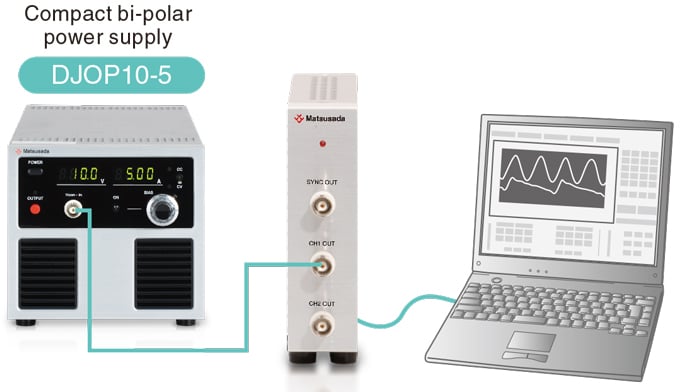
If a different output is used instead of DC, 0 V, and 0 A will be displayed since the unit is dedicated to displaying DC output in the DJOP series.
Features
- Wide Frequency Range: 0.01 Hz to 1 MHz
- Dual-Channel Output: Independent or synchronized control
- High Amplitude: Max 20 Vp-p (@1 kΩ load) / 7.5 Vp-p (@50 Ω load)
- Ultra-Compact: 35 mm width for high-density integration
- Remote Control: Dedicated software for easy programming and automation
Model
| Model | Frequency range | Number of channels | Maximum amplitude | Offset | Output impedance |
|---|---|---|---|---|---|
| eK-FG2 | 0.01 Hz to 1 MHz | 2 | 20 Vp-p (@1 k Ω = RL), 7.5 Vp-p (@50 Ω = RL) |
+ / -10 V (no load) | 50 Ω |
Functions
Synchronized Dual-Channel Output
The eK-FG2 provides versatile dual-channel operation, allowing for synchronized output control between the two channels.
Synchronized Output & Phase Control The unit can synchronize the cycle and sweep start points of both channels. Additionally, the phase shift function allows users to precisely offset the phase of one channel relative to the other.
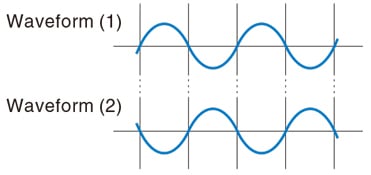
Reverse Phase / Inverted Output The system supports reverse phase output (positive/negative polarity control), making it suitable for driving motors, testing dielectric materials, or applications requiring differential signals.
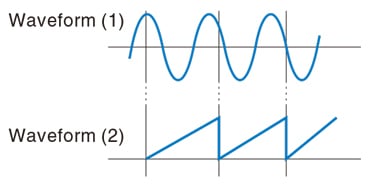
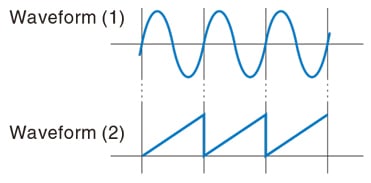
It is designed to control the two waveforms by making them the same in terms of the cycles and the sweeping start point.
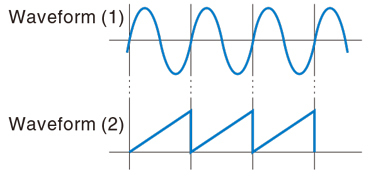
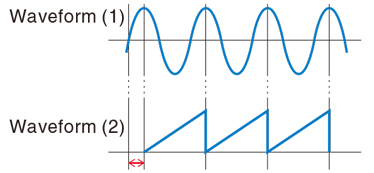
The output timing is arranged by moving the phase of your choice.
Specifications
- Input voltage
- 90 to 132 Vac, 50/60 Hz, Single-phase
Software
Intuitive Control Software Included
The eK-FG2 comes with dedicated control software that enables programmable operation and complex waveform generation.
Sequence Function
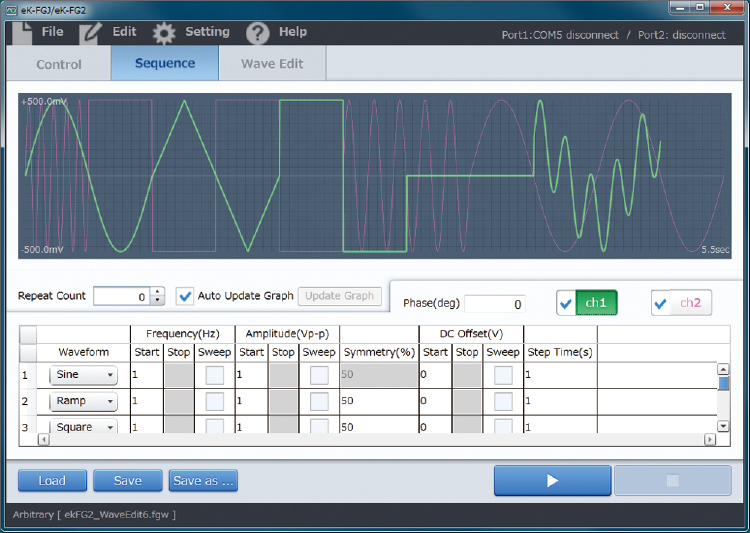
Independent sequencing is available for both Ch1 and Ch2. Users can program specific output patterns or utilize custom waveforms created in the dedicated editor.
Optional Waveform Generation
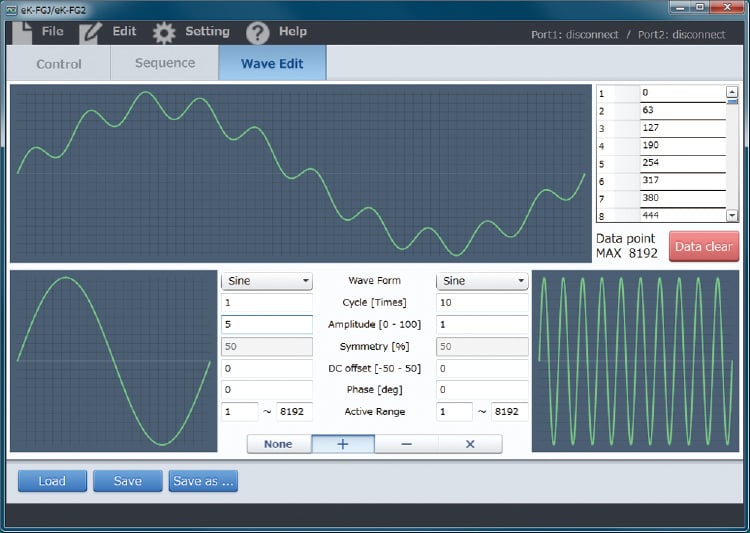
Arbitrary Waveform Generation: Create complex waveforms effortlessly by combining base waves (e.g., sine, square) using mathematical functions (add, subtract, multiply).
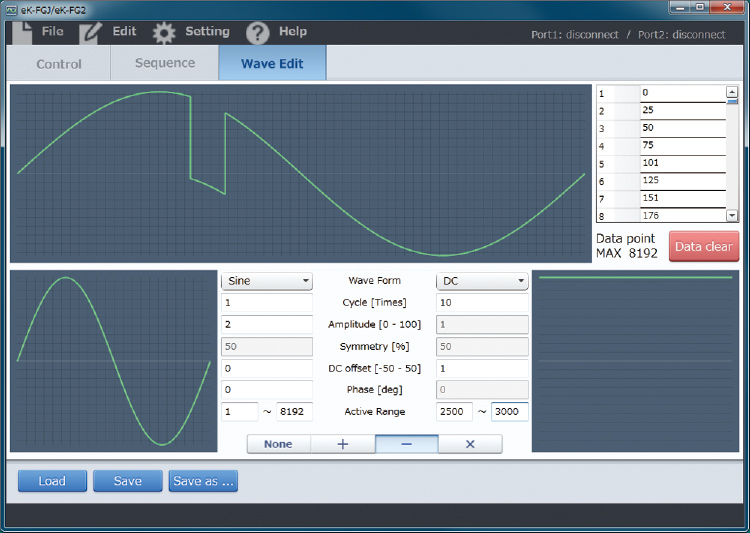
Flexible Composition: Define specific ranges for waveform modification.
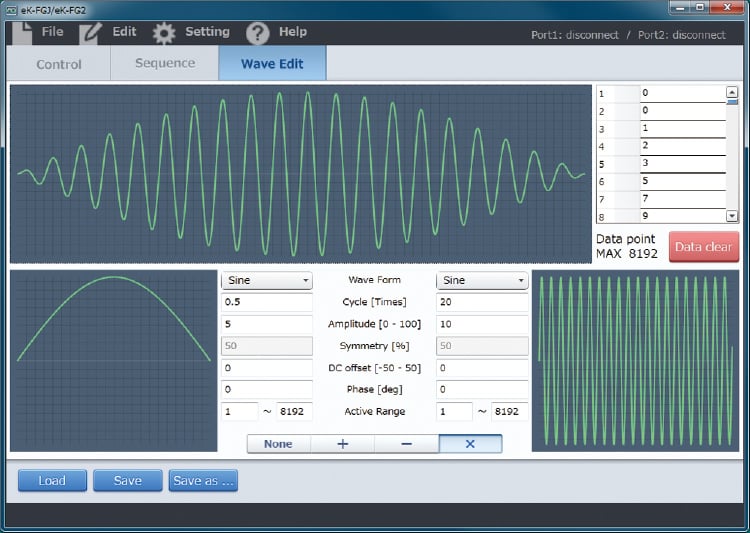
Arithmetic Operations: Combine waveforms to generate positive or negative outputs tailored to your application requirements.
(Note: Reproduced waveforms in the software may slightly differ from the actual physical output depending on load conditions.)
Dimensions
Download
If you are unable to download a file
Please try the following solution.
- Please press Ctrl+F5 to clear the cache of your web browser and try again.
- Please restart your web browser and log in again to try again.
- Please change your web browser to another browser and try again.
- Restart the computer and try again.
- Please try again on a different computer.
-
eK-FGJ/eK-FG2 Datasheet
Date: 2025-11-17 rev 06
PDF (2,132 KB)

-
eK-FG2 Instruction Manual
Date: 2023-05-30 rev 0.2
PDF (349 KB)
-
eK-FGJ/eK-FG2 Control Software Instruction Manual
Date: 2020-10-14 rev0.9
PDF (2,158 KB)
-
USB driver for Windows 10, 11
Date: 2025-12-19 rev 2.12.36.20
ZIP(1,629KB)
-
USB driver for Windows XP, 7, 8, 8.1
Date: 2025-01-22 rev 1.7.6
ZIP (6,504 KB)
Login Required
-
eK-FGJ/eK-FG2 Datasheet
Date: 2025-11-17 rev 06
PDF (2,132 KB)
-
eK-FG2 Instruction Manual
Date: 2023-05-30 rev 0.2
PDF (349 KB)
-
eK-FGJ/eK-FG2 Control Software Instruction Manual
Date: 2020-10-14 rev0.9
PDF (2,158 KB)
-
USB driver for Windows 10, 11
Date: 2025-12-19 rev 2.12.36.20
ZIP(1,629KB)
-
USB driver for Windows XP, 7, 8, 8.1
Date: 2025-01-22 rev 1.7.6
ZIP (6,504 KB)
On this website, we provide only the latest versions of information and instruction manuals for our products. Therefore, the newest versions of manuals on the website may differ from those that came with products you purchased in the past.